
Download Netflix VR APK – Virtual Reality Streaming, Netflix Content, Daydream Compatible
Overview
Netflix VR APK is a desktop-compatible application designed to deliver a virtual reality viewing experience for users with compatible hardware. The app allows subscribers to browse and stream Netflix’s extensive library of television shows and movies within a simulated immersive environment. Built specifically for Google’s Daydream platform, it enables users to enjoy content in a 360-degree digital theater setting, offering a unique alternative to traditional screen-based viewing.
The software targets early adopters of virtual reality technology and Netflix subscribers seeking novel ways to consume entertainment. It is particularly suited for users who own a Daydream View headset and controller, as these are the only currently supported devices. While the app does not support iOS or Android phones and tablets, its integration with a VR ecosystem suggests future expansion is possible. Real-world use cases include home theater simulations, on-the-go entertainment in immersive settings, and enhanced engagement with long-form content.
Netflix VR leverages the existing Netflix subscription model, meaning no additional fees are required beyond the standard membership. The developer did not provide additional system requirements or performance benchmarks, and compatibility details are limited to the Daydream platform.
Key Features & Capabilities
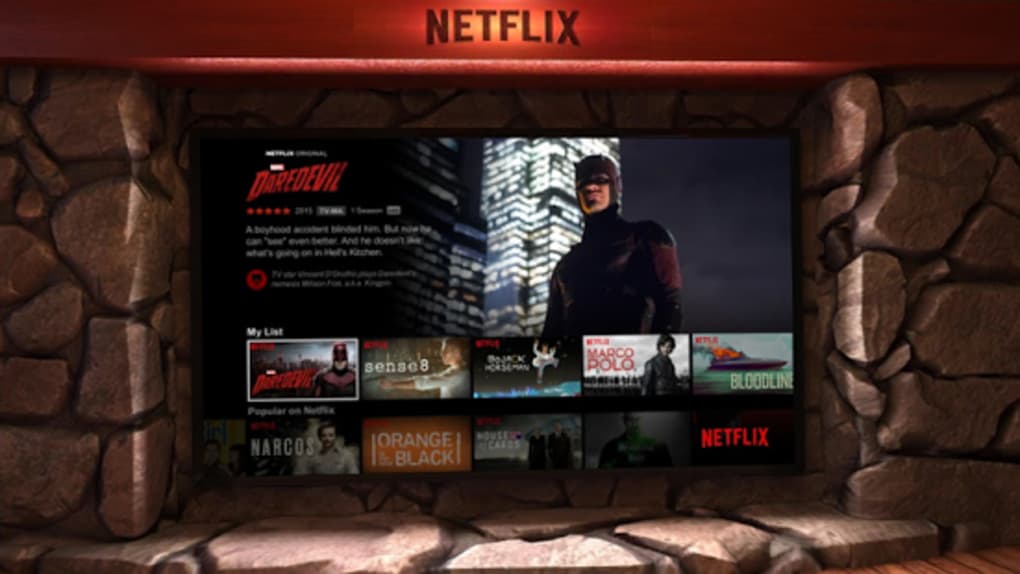
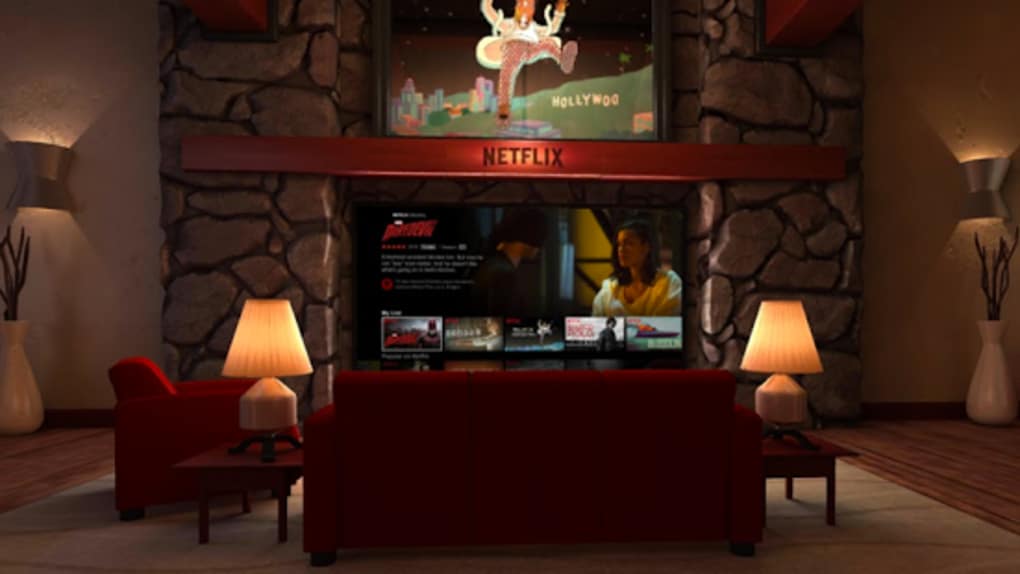
- Immersive VR Theater Experience – Users can watch content as if seated in a private cinema, with the screen appearing to float in front of them, creating a sense of presence and focus.
- Full Netflix Library Access – Subscribers gain access to all available Netflix content, including original series, films, documentaries, and special editions, without restrictions.
- Daydream-Compatible Navigation – The app integrates with the Daydream Controller, allowing intuitive menu selection, playback control, and content browsing using hand gestures.
- 360-Degree Viewing Environment – The virtual space can be adjusted to simulate different viewing angles and distances, enhancing user comfort and immersion.
- Seamless Subscription Integration – No additional authentication or setup is required beyond a valid Netflix account, ensuring a smooth onboarding process.
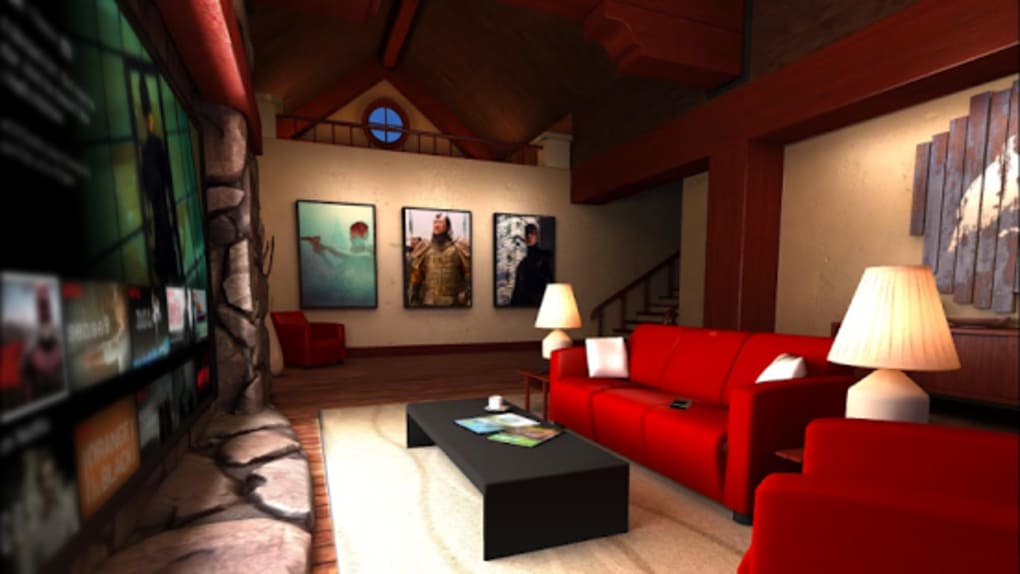
These features enable users to transform their living space into a personalized entertainment zone. For example, a user could watch a movie in a virtual theater while relaxing on their couch, or explore a simulated cinema lobby before selecting a film. The app’s reliance on existing Netflix content ensures consistent availability and quality, though visual fidelity may vary depending on device capabilities.
User Interface, Workflow & Performance
The user interface of Netflix VR APK is structured around a virtual cinema layout, featuring a central playback screen surrounded by navigation menus and content thumbnails. Navigation is handled via the Daydream Controller, allowing users to point, select, and scroll through content using intuitive gestures. The workflow is designed to minimize complexity, with minimal onboarding steps and a consistent layout across all sections.
While the app is responsive in standard use, performance observations are based on general software behavior patterns. The developer did not specify resource usage details, and exact CPU or RAM consumption was not listed. Users may experience visual blur during head movements, which is a known limitation in current VR implementations. Additionally, some users have reported device heating during extended sessions, though this may vary by hardware and usage duration.
Stability appears to be consistent under normal conditions, but prolonged use may lead to thermal discomfort. The app does not support touch input or voice commands, relying solely on the Daydream controller for interaction. Overall, the workflow remains efficient for its intended use case, though performance may be affected by external factors such as device temperature and network stability.
Compatibility & System Requirements
Netflix VR APK is officially compatible with Google Daydream View and the Daydream Controller. The software requires a valid Netflix subscription and is not available for iOS or Android phones and tablets. Installation size and specific hardware requirements were not listed by the developer.
Exact system requirements were not listed. Compatibility information was partially provided, and users are advised to ensure their device meets the minimum specifications for the Daydream platform. No support for other VR headsets or non-Daydream devices was indicated. The app is designed to function within the Daydream ecosystem, and future platform expansions were not confirmed.
Pros and Cons
Pros
- Offers a unique immersive viewing experience for Netflix subscribers
- Full access to Netflix’s extensive content library
- Intuitive navigation using the Daydream Controller
- Seamless integration with existing Netflix accounts
- Designed for a private, distraction-free entertainment environment
Cons
- Currently limited to Google Daydream View and controller
- Some users report visual blurriness during head movement
- Device heating observed during extended use
- Not available for iOS or standard Android devices
- Limited to VR-specific content presentation
FAQ Section
Is Netflix VR APK compatible with all VR headsets?
Currently, Netflix VR APK is only compatible with Google Daydream View and the Daydream Controller. Support for other VR devices has not been confirmed.
Do I need a Netflix subscription to use this app?
Yes, a valid Netflix subscription is required to access content within the app. The app does not offer standalone access to Netflix’s library.
Can I use Netflix VR on my Android phone or tablet?
No, the app is not available for Android phones or tablets. It is designed exclusively for the Daydream View headset.
Is the app safe to use?
The app is distributed through official Google channels and is compatible with the Daydream platform, which includes security measures. However, users should ensure their device is updated and that they are downloading from trusted sources.
Does Netflix VR support offline viewing?
Offline viewing functionality was not specified. Users should verify current capabilities through the official Netflix app settings.
Final Thoughts + CTA
Netflix VR APK presents a compelling option for early VR adopters who are already Netflix subscribers. While it is currently limited to the Daydream platform and faces challenges like visual blur and device heating, its core strength lies in delivering a vast library of entertainment in an immersive format. The app successfully transforms passive viewing into an engaging, spatial experience, making it ideal for users seeking novelty and depth in their media consumption.
Despite its constraints, the app offers a glimpse into the future of streaming, where content is not just watched but experienced. For those invested in the Daydream ecosystem, the benefits outweigh the current drawbacks. As VR technology evolves, Netflix VR could become a benchmark for immersive entertainment.
Download Netflix VR APK now






.png)
